



Antec C5 vs C8 – Which “Fish Tank” Case Should You Choose?
The Ultimate Showdown: Antec C5 ARGB vs Antec C8 Constellation
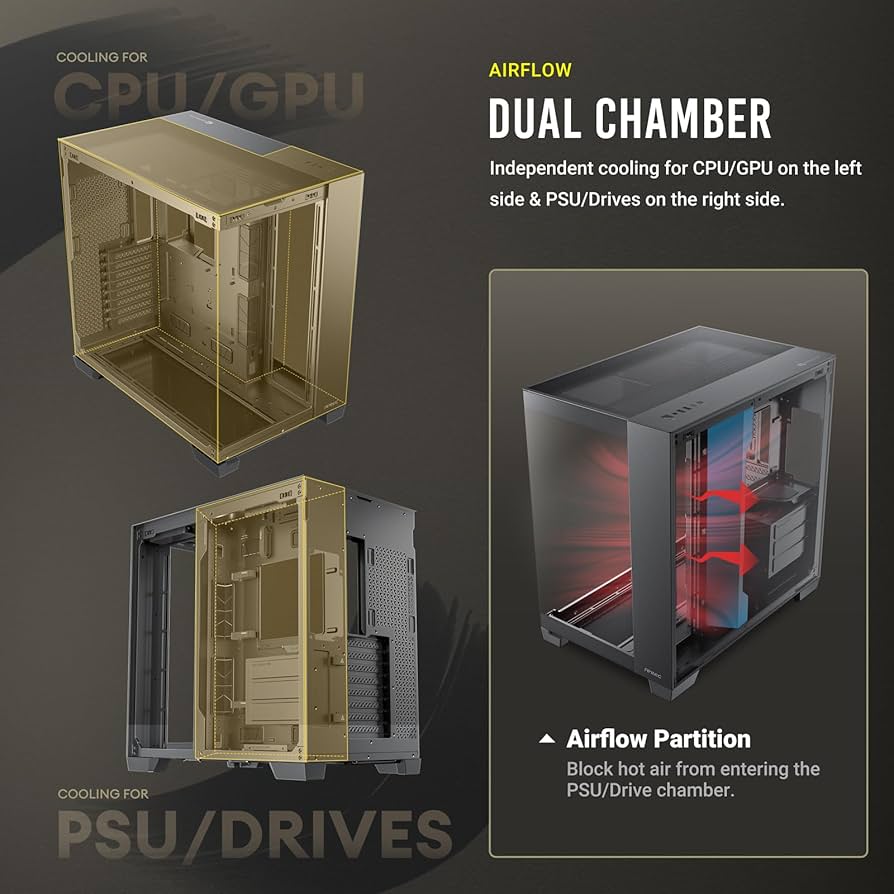
Choosing between the Antec C5 and C8 isn’t just about size—it’s about your philosophy as a builder. While both offer the stunning 270-degree “Fish Tank” view, they cater to very different hardware configurations. As a direct Antec partner, we’ve put both through their paces to help you decide.
1. Cooling Architecture: Out-of-the-Box vs Custom Control
The most immediate difference is how they handle airflow right from the box.
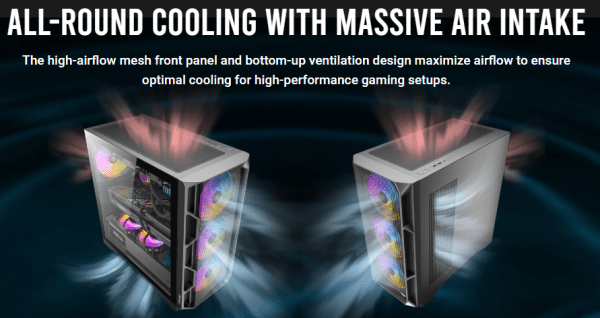
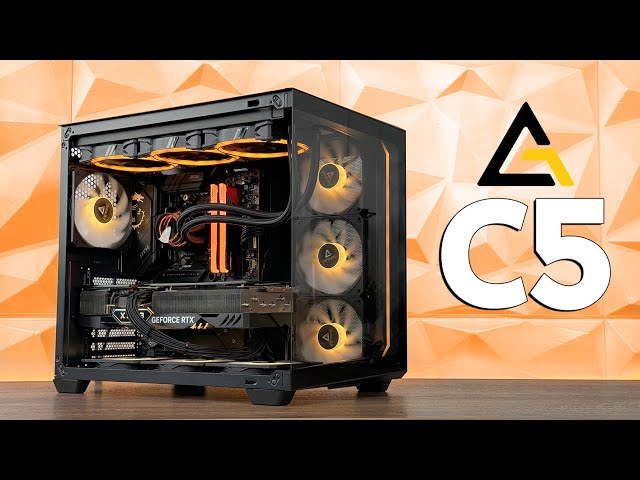
The Antec C5 ARGB (The Value King): This case is a cooling beast from day one. It arrives with 7 pre-installed ARGB PWM fans (3x side intake, 3x bottom intake, 1x rear exhaust). The unique slanted bottom air intake is a game-changer for GPU thermals, pushing fresh air directly into your graphics card’s fans.
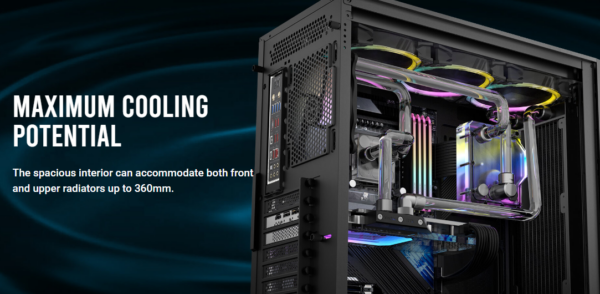
The Antec C8 Constellation (The Enthusiast’s Canvas): The C8 is a “bring your own fans” chassis. It is wider and deeper, designed for “thick” 360mm radiators (up to 60mm deep) on both the top and bottom. If you are planning a custom loop with massive reservoirs, the C8 provides the “breathing room” the C5 cannot.
2. Technical Specification Comparison
| Feature | Antec C5 ARGB Vision | Antec C8 Constellation |
| Chassis Type | Mid Tower | Full Tower (Dual Chamber) |
| Included Fans | 7 x 120mm ARGB PWM | 0 (Sold as Bare Chassis) |
| Max GPU Length | 410mm | 440mm |
| Max CPU Cooler Height | 160mm | 175mm |
| Radiator Support | 3 x 360mm (Top/Bottom/Side*) | 3 x 360mm (Thick Support) |
| Motherboard Support | ATX, Micro-ATX, ITX | E-ATX (up to 280mm), ATX, M-ATX |
| Back-Connect Support | Yes (BTF / Project Zero) | Yes (on C8 Curve models) |
*Side support on C5 is 280mm; C8 supports 360mm on all three sides.
3. The “Back-Connect” Factor
A massive selling point for the Antec C5 is its native support for Back-Connect motherboards. By moving all power connectors to the rear of the board, the C5 allows for a 100% cable-free aesthetic through the glass. If you are eyeing a clean build with the latest ASUS BTF or MSI Project Zero series, the C5 is the ideal choice.
4. Recommended Hardware for your Antec Build
To get the most out of these panoramic cases, we recommend pairing them with components designed for dual-chamber airflow:
CPU Cooling: The Antec Vortex 360 AIO is a perfect fit for both. In the C5, it matches the pre-installed fans perfectly. In the C8, its high-pressure fans help manage the larger internal volume.
Power Delivery: For the dual-chamber layout, a modular PSU is essential. The Antec NeoEco Gold series provides the flat cables needed to keep the rear chamber tidy, especially in the C5 where space is more premium.
The “Hidden” Build: If using the C5’s back-connect feature, ensure you select a compatible motherboard like the ASUS TUF Gaming Z790-BTF to take full advantage of the “zero-cable” look.
Pro-Builder’s Tips: Mastering the Antec Dual-Chamber Design
Whether you go for the C5 or the C8, dual-chamber cases require a different approach to cable management and airflow than traditional towers. Here is how to get the best results:
Managing the C5’s 7-Fan Array
The Antec C5 ARGB comes with a lot of wiring out of the box.
The Hub is Key: Use the included ARGB/PWM hub behind the motherboard tray. To keep your BIOS from throwing a “Fan Error,” ensure the Red Header on the hub is connected to your motherboard’s
CPU_FANorSYS_FAN1header—this is the only port that sends speed data back to the board.Daisy-Chaining: If you’re adding an AIO like the Vortex 360, daisy-chain the AIO fans together before connecting them to the hub. This keeps the rear chamber tidy and prevents a “spaghetti” of cables.
Optimising Airflow in the C8
Because the Antec C8 is so large, “dead air” spots can occur if fans aren’t positioned correctly.
The “Chimney” Effect: For the best thermal performance, set your bottom fans to Intake and your top fans to Exhaust. Since heat naturally rises, this creates a high-pressure vertical wind tunnel that flushes GPU heat out of the top of the case instantly.
Side Intake vs Side Exhaust: We recommend setting the side fans to Intake. This provides a fresh supply of cool air directly to the motherboard components and VRMs, which is crucial for high-end E-ATX builds.
Cable Management for “Back-Connect” Builds
If you are using a BTF or Project Zero motherboard in the C5:
Plug Everything in Early: Connect your power cables to the back of the motherboard before you mount the board into the chassis. It is much easier to manage the stiff 24-pin cable when you have full leverage outside the restricted space of the rear chamber.
Velcro over Zip-Ties: Use the built-in Velcro straps provided by Antec. You’ll likely want to add or change components later, and Velcro makes adjustments far easier without risking a snip to your PSU cables.
The Final Verdict
Buy the Antec C5 if: You want a “one and done” solution. With 7 fans included and a focus on the mid-tower sweet spot, it offers the best value-for-money panoramic build in the UK today. It’s perfect for those who want a clean, ARGB-heavy look without buying extra fans.
Buy the Antec C8 if: You are building a “no-compromise” rig. Its support for E-ATX boards and thicker radiators makes it the professional choice for custom water cooling and massive GPU configurations.